A prototype proves that an idea can work. A production-ready app proves that it can keep working when strangers use it, money moves through it, data accumulates, and something inevitably goes wrong.

AI app builders have made it wonderfully cheap to find out whether an idea has a pulse. You can describe a workflow, connect a database, add payments, and have something convincing on a screen before the old project plan would have cleared its first meeting.
That is real progress. It is also where a dangerous misunderstanding begins.
An app can look finished while still trusting the browser with decisions it should never make. It can have login without meaningful authorization. It can accept a payment without reliably granting access. It can have backups nobody has ever restored. It can work perfectly for the person who built it and fail the moment two customers do the same thing at once.
“It works” describes a demo. “We know how it fails, and we can recover it” describes a product.
This guide is for founders and teams who built an application with Lovable, Bolt, Replit, Cursor, Claude, Codex, v0, or another AI-assisted workflow and are now asking the serious question: can real customers safely use this?
It is not a penetration test or a compliance certification. It is a practical production-readiness checklist: the questions worth answering before traffic, customer data, or revenue raises the cost of every hidden shortcut.
What does “production ready” actually mean?
Production readiness is not a universal badge. A private meal-planning app used by ten friends does not need the same controls as a healthcare portal, a multi-tenant SaaS product, or an app that moves money. The risk depends on what the application stores, what it can do, who relies on it, and what happens when it is wrong.
But every real product needs the same underlying qualities:
- Correctness: the important workflows do what the business promises, including unhappy paths.
- Security: users can access only what they are allowed to access, and sensitive decisions happen across a trusted boundary.
- Reliability: failures are contained, visible, and recoverable.
- Operability: someone can understand what happened, release a fix, restore data, and support a customer.
- Ownership: the company can access its code, infrastructure, data, billing, and deployment process without depending on one browser session or one person’s memory.
None of those qualities requires a giant engineering organization. They do require deliberate decisions. AI can help write tests, inspect code, and speed up repairs, but it cannot decide how much risk your business should accept. That decision still belongs to you.
The five-minute go/no-go test
Before working through all 25 checks, answer these five questions without guessing:
- Can customer A ever read, edit, or download customer B’s data?
- Can a repeated click, webhook, or retry charge someone twice or create duplicate work?
- If today’s deployment breaks login, payments, or data writes, can you restore the previous version quickly?
- If the primary database disappears or a user deletes something important, have you tested the restore procedure?
- Will the team know about a serious failure before a customer reports it?
If any answer is “I don’t know,” the app is not ready for an unrestricted public launch. That does not mean throwing it away. It usually means narrowing the release, measuring the risk, and fixing a finite list of foundations.
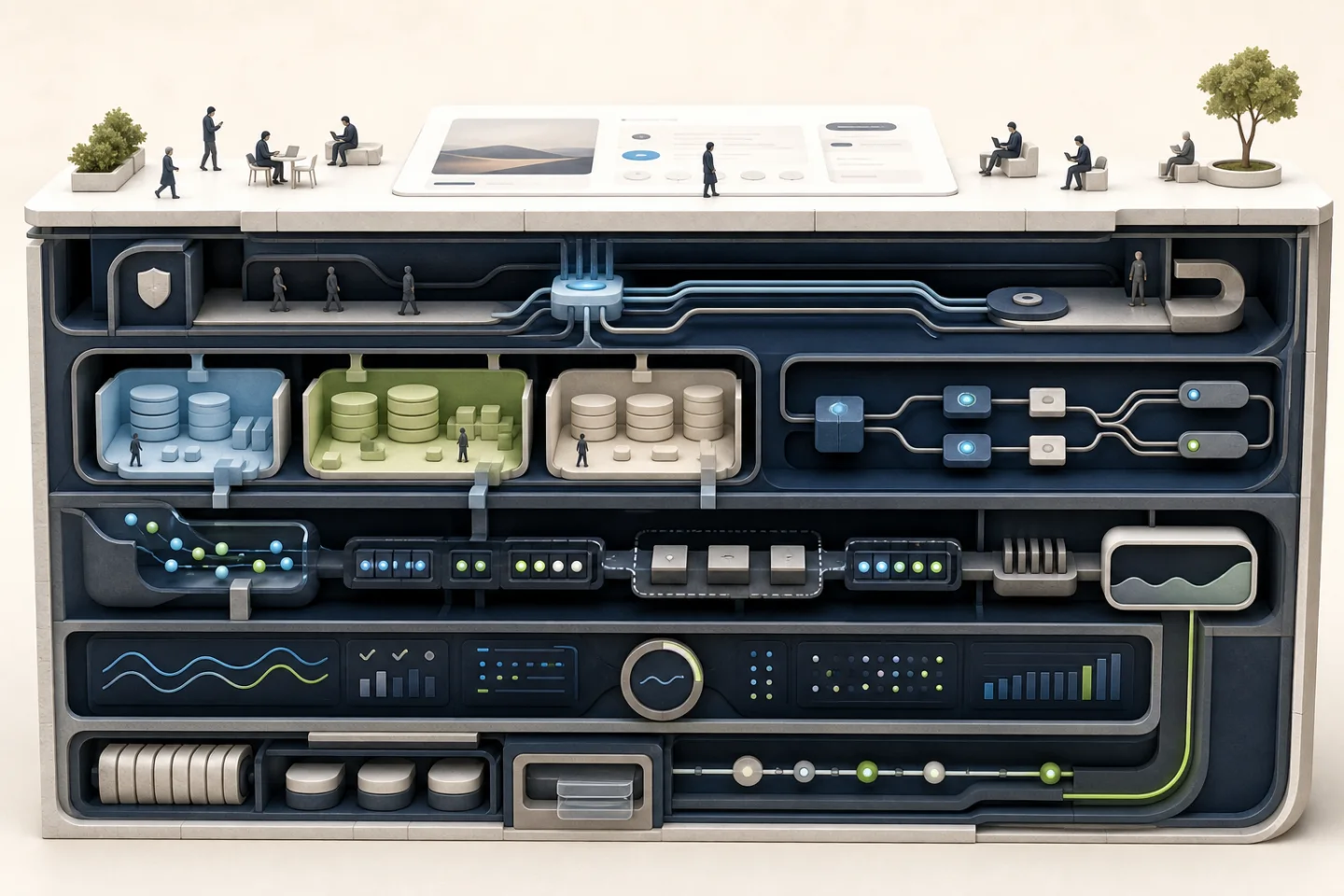
The 25-point AI-built app production-readiness checklist
The order matters. Start with ownership and data boundaries, then work outward toward resilience and operations. A beautiful monitoring dashboard cannot rescue a product whose authorization model is fundamentally open.
1. Product, code, and ownership
01 The core customer journey works from beginning to end
Test the full job a customer came to complete—not isolated buttons. Registration should lead to a usable account. A purchase should lead to the correct entitlement. An uploaded file should reach its final state. An invitation should work for a person who has never visited the app before.
Run the journey with a fresh account, a returning account, an expired link, incomplete information, and a second device. Founders often know the “right” route too well to notice the assumptions built into it.
02 The company controls the source code and deployment accounts
The repository should live in an organization the company controls. At least two trusted people should be able to reach the domain, hosting, database, authentication provider, email service, payment account, and monitoring tools. Production cannot depend on a contractor’s personal account or on the continued existence of one AI-builder workspace.
03 Someone can explain the architecture without asking the AI to rediscover it
You need a short, current map of the system: client, server or functions, database, storage, authentication, payments, external APIs, background jobs, and where each important business rule runs. It does not need to be a 70-page specification. One accurate diagram and a decision log are far more useful than a stale encyclopedia.
If nobody can say which system owns customer status, subscription status, or permissions, later fixes will create contradictions rather than remove them.
04 Dependencies, licences, and platform exit paths are known
Inventory the packages, APIs, models, templates, and generated assets the product relies on. Check commercial-use terms and identify anything abandoned, unmaintained, or locked to a platform you cannot export from. “We own the repository” is not enough if the application cannot run without an undocumented service tied to someone else’s account.
2. Identity, authorization, and data
05 Authentication is verified at a trusted boundary
Hiding a page in the interface is not access control. Every protected request must verify the user’s identity in a trusted service layer—the server, database policy, or another enforcement point the user cannot rewrite in their browser.
The current OWASP Application Security Verification Standard is a useful yardstick because it treats authentication, access control, validation, and business logic as testable requirements rather than design intentions.
06 Authorization and tenant isolation have been tested with two real users
Create two accounts in separate organizations. Try changing record IDs, file paths, API parameters, and URLs. Attempt reads, updates, exports, and deletes across the boundary. Test ordinary users against administrator operations.
For Supabase-backed apps, enabling Row Level Security is only the beginning; the policies themselves must express the intended ownership rules. Supabase’s own production checklist warns that tables without suitable RLS policies may be accessible or modifiable by clients. A policy that effectively allows every authenticated user to see every row is not isolation.
07 Secrets never reach the browser or source repository
API keys, database credentials, payment secrets, service-role keys, signing secrets, and private tokens belong in managed environment variables or a secrets store. Assume anything shipped to a browser or mobile client can be inspected. “Obscure” is not the same as secret.
Search the repository history as well as the current files. If a credential was committed and later deleted, rotate it; deletion does not make the old value unknown.
08 The app collects less sensitive data, not merely more securely stored data
List every personal or confidential field and why the product needs it. Define retention and deletion behavior. Remove sensitive content from logs, analytics events, error traces, and AI prompts where it is not necessary. The safest customer record is often the one you never collected.
09 Uploads and user-controlled input are treated as hostile
Validate file type, size, structure, and destination. Do not trust a filename extension. Separate private from public storage, prevent executable uploads where they do not belong, and scan or quarantine files when the risk warrants it. Validate important input again at the trusted layer, even if the interface already checked it.
3. Business rules and payments
10 Critical business rules cannot be changed in the browser
Prices, discounts, account roles, usage limits, approval status, ownership, and permissions should be calculated or verified on the trusted side of the system. If changing a value in developer tools can turn a free user into a paid user, the interface has been given authority it should not have.
11 Payment processing is idempotent and reconciled
Payment events are asynchronous and occasionally repetitive. Your system must handle delayed events, duplicate events, and events arriving in an unexpected order without charging twice or granting access twice. Record the provider’s event identifier and make processing safe to repeat.
Stripe’s official go-live checklist explicitly calls out live webhooks, delayed notifications, duplicates, event ordering, production keys, and application-side logs. Those are not obscure edge cases. They are normal conditions of a real payment system.
12 Entitlements, cancellations, refunds, and failed renewals agree
A successful checkout is the easy case. Test what the product does after a refund, disputed payment, failed renewal, plan downgrade, trial expiry, cancellation at period end, and webhook outage. The payment provider, your database, and the interface should converge on one correct state.
4. Failure states and realistic load
13 Slow, empty, offline, and failed states are designed
Disconnect the network midway through important actions. Add latency. Return no results. Expire the session. Make an external API return an error. Users need to know whether an action failed, is still running, or can safely be attempted again.
A spinner with no timeout is not a failure strategy.
14 Retries and repeated clicks do not duplicate work
Double-click every consequential button. Refresh during submission. Replay the same request. Run a background job twice. Creating an invoice, placing an order, sending an invitation, and consuming a usage credit should all be safe against accidental repetition.
15 External-service outages degrade safely
What happens when email, payments, an AI model, maps, storage, or another dependency is unavailable? Decide which work should queue, which action should fail closed, which feature can be temporarily disabled, and what the customer should see. Add timeouts; otherwise one slow dependency can consume every available worker and make the entire app appear dead.
16 The app has been tested with realistic data and concurrency
Ten clean rows are not a production dataset. Try long names, duplicate names, large accounts, old records, different time zones, many files, and the volume you expect after a year—not only on launch day. Run simultaneous edits and purchases where conflicts matter.
You do not need an enterprise load-testing programme for an early product. You do need evidence that the first credible spike will not corrupt the state customers care about.
5. Environments, testing, and release control
17 Development, staging, and production are separate
Experiments should not use production credentials or customer records. Staging should exercise the same architecture and release path without becoming a second, manually maintained product. Test payment objects, email destinations, analytics, and webhooks must be unmistakably separate from live ones.
18 Database changes are versioned and recoverable
Schema changes should live in migrations that can be reviewed and applied consistently. Plan for old code and new code to overlap during a deployment. Avoid destructive changes in the same release that introduces their replacement. Backfill data deliberately and verify counts before removing anything.
19 Tests protect the valuable paths, not the easiest code
Prioritize authentication, authorization, tenant boundaries, payments, data mutations, and the core customer journey. A smaller suite that catches an incorrect entitlement or cross-account data leak is worth more than hundreds of tests proving presentational details.
Every fixed production bug should usually leave behind a regression test. Otherwise the team paid to learn the lesson but did not store it anywhere.
20 Rollback has been practised
Know how to return to the previous application version and what happens to database changes made in between. A rollback plan that has never been used is a theory. Practise it before a stressful release turns the documentation into a scavenger hunt.
6. Monitoring, recovery, and support
21 Logs, errors, and alerts answer operational questions
Capture enough context to follow a request across the system: request or correlation ID, account, operation, result, duration, and safe error detail. Do not log passwords, tokens, full payment details, or unnecessary personal data.
Alert on conditions that require action: payment processing stuck, background queues growing, sign-in failures spiking, data writes failing, or costs accelerating unexpectedly. Alerting on every error only trains the team to ignore alerts.
22 Backups exist—and a restore has succeeded
Confirm what the platform backs up and what it does not. Database backups may not include uploaded objects, third-party data, authentication configuration, or credentials. Record recovery time and recovery-point expectations in language the business understands.
Then restore a backup into a safe environment and verify the application can use it. A green “backup enabled” badge is not proof of recovery.
23 Abuse limits, cost limits, and a support path exist
Add rate limits to expensive or sensitive operations. Put budgets and usage alerts around infrastructure, messaging, maps, storage, and model calls. Define how a user reports a problem, how the team finds their account safely, and who can make an emergency change.
A simple runbook should cover the likely incidents: login unavailable, payments delayed, queue stuck, database capacity high, external provider down, bad release, and suspected data exposure.
7. If the product itself contains AI
An app built with AI does not necessarily contain AI at runtime. If yours does, add these final two checks.
24 Model behavior is evaluated like a changing dependency
Create a small but meaningful evaluation set from real tasks, difficult inputs, refusals, and known failure cases. Track quality, latency, and cost before changing models, prompts, retrieval, or tools. Pin model versions where the provider supports it and define fallback behavior when the model times out or returns unusable output.
“It seemed better in chat” is not a release gate. The evaluation does not have to be academically perfect; it has to detect regressions that would matter to your users.
25 The model has bounded permissions and cannot approve its own high-impact actions
Treat web pages, documents, emails, retrieved knowledge, tool output, and user prompts as untrusted content. Prompt injection cannot be solved by adding one more sentence to the system prompt. Keep secrets and authorization outside the model, grant tools the smallest useful permissions, validate tool arguments, and require an independent human confirmation for consequential actions.
OWASP’s current guidance on prompt injection and excessive agency makes the underlying point clearly: damage grows with the functionality, permissions, and autonomy the model receives.
What should you fix first?
Do not turn the checklist into a six-month attempt at perfection. Triage by consequence.
| Priority | Fix first | Why |
|---|---|---|
| P0 | Cross-user data access, exposed secrets, client-controlled roles or prices, unsafe payments | These can create immediate customer, financial, or legal harm. |
| P1 | No restore, no rollback, duplicate operations, invisible failures, destructive migrations | These turn ordinary defects into prolonged incidents or permanent loss. |
| P2 | Weak tests, unclear ownership, poor failure UX, scaling bottlenecks, missing runbooks | These increase operating cost and make every later release riskier. |
| P3 | Polish, minor performance work, internal convenience, non-critical refactors | Useful after the foundations above can be trusted. |
For many early products, the responsible path is a constrained beta: known users, limited permissions, low transaction limits, prominent feedback, active monitoring, and a defined support window. A smaller release is not an admission of failure. It is how teams buy evidence before buying risk.
When is an independent production-readiness audit worth it?
Bring in an experienced reviewer when the application handles money, confidential or regulated data, multiple customer organizations, irreversible actions, or AI tools with write access. An audit also pays for itself when development has slowed because every change breaks something unexpected, or when nobody can confidently explain what the generated code is doing.
A useful audit should leave you with more than a list of frightening findings. It should produce:
- a verified architecture and data-flow map;
- findings ranked by consequence and exploitability;
- a keep, refactor, or rebuild decision for each risky area;
- a release plan with owners and testable acceptance criteria;
- an honest view of what can launch now and what must wait.
Most AI-built applications do not need to be thrown away. The interface and validated workflow often contain real value. The question is whether the system underneath can be strengthened cleanly or whether one compromised layer—the data model, access design, or business logic—needs a controlled rebuild.
The final test
A production-ready app is not one that never fails. No honest engineer can promise that. It is an app whose most important boundaries have been tested, whose failures are visible, whose data can be recovered, and whose owners know how to change it without gambling the business each time.
AI may have written a large part of the code. The responsibility for what happens when customers use it still belongs to the people shipping it.