A product page can pass a rendered-page test and still give Google Shopping an unreliable view of price, stock, or the selected variant. The hidden variable is often not the JSON-LD syntax. It is when the markup becomes available.
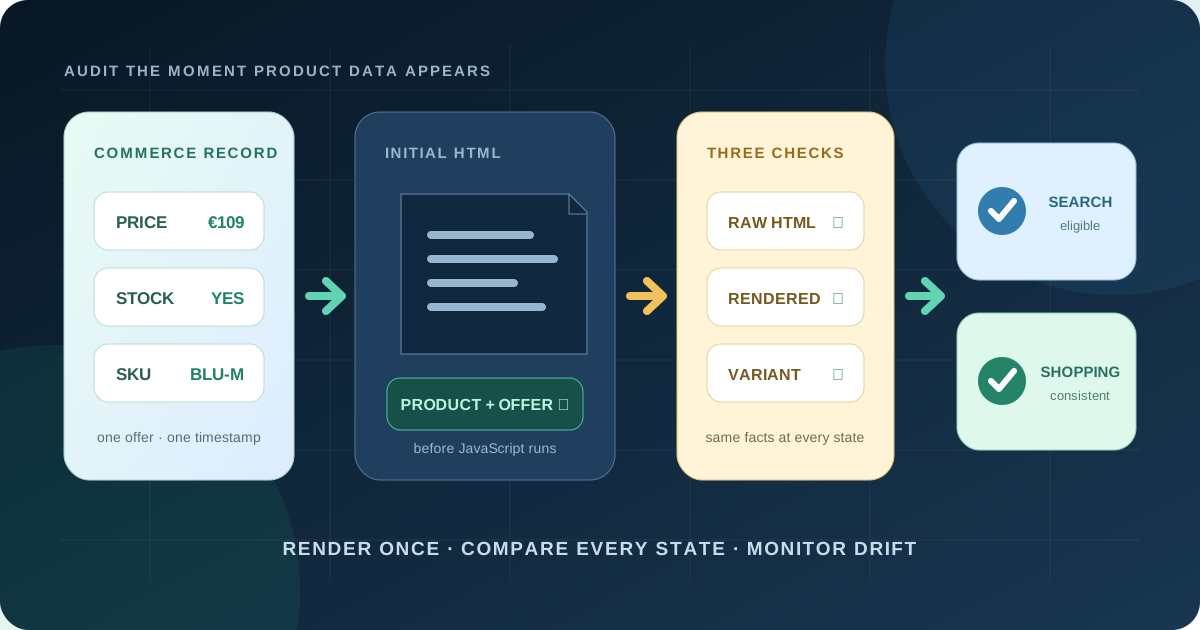
For critical Product and Offer data, generate JSON-LD from the same commerce record as the visible page and include it in the initial server response. Then verify raw HTML, rendered output, variant changes, and Search Console separately. JavaScript-generated markup can be understood by Google Search, but Google's Shopping guidance now explicitly favors initial HTML, and Merchant Center matching requires server-returned markup.
What Google clarified in September 2026
On 8 September 2026, Google added two Product-markup best practices to its Search documentation: put Product structured data in the initial HTML for best results, and make sure the server can handle extra traffic if JavaScript generates the markup. Google also warns that dynamically generated Product markup can make Shopping crawls less frequent and less reliable for fast-changing facts such as price and availability.
This is not a claim that all client-rendered JSON-LD is invisible. Google's general JavaScript guide says Search can process structured data present in the DOM when it renders a page. But another official system has a stricter contract: Merchant Center's structured-data guidance says the markup used to match a landing page with product data must be in the HTML returned by the server and cannot be added after load.
The useful conclusion is architectural: “Google can render it” is not the same as “every Google commerce consumer will receive it promptly and consistently.” A single Rich Results Test pass proves neither feed matching nor freshness under load. Treat server HTML as the durable baseline and client JavaScript as an enhancement.
Audit three different versions of every product page
Most schema audits inspect only the final DOM or paste a JSON block into a validator. That catches syntax and required-property errors, but misses delivery timing and state drift. Sample representative URLs and capture all three views at the same time.
| View | How to inspect it | What it reveals |
|---|---|---|
| Initial response | Fetch the URL without executing JavaScript; save status, headers, and HTML | What server-dependent consumers and first-wave crawlers receive |
| Rendered DOM | Run the page in a browser or URL-based Rich Results Test | What appears after scripts, API calls, consent, and hydration |
| Interactive state | Change size, colour, market, currency, or quantity | Whether visible offer, URL, canonical, JSON-LD, and checkout stay aligned |
Do not assume “view source” and browser inspector show the same document. DevTools Elements normally shows the live DOM after scripts have changed it. Fetch or save the actual response body for the initial view. Then compare the extracted Product, ProductGroup, and Offer objects field by field.
URL: /products/wool-coat?color=blue&size=m
Observed: 2026-09-18T08:30:00Z
Field          Server HTML   Rendered DOM   Visible page   Checkout
sku            COAT-BLU-M    COAT-BLU-M     COAT-BLU-M    COAT-BLU-M
price          129.00 EUR    109.00 EUR     109.00 EUR    109.00 EUR
availability   InStock       InStock        In stock      In stock
canonical      /wool-coat    /wool-coat     —             —
Here the sale price arrives only through a client request. The markup is syntactically valid in both states, yet the server exposes a stale offer. Fix the shared pricing path; do not patch the JSON-LD string independently.
Define one contract for the visible and machine-readable offer
The safest implementation does not scrape text from the finished page or maintain a second SEO database. It takes one normalized offer record and uses it to render the buy box and JSON-LD in the same response. At minimum, define owners and update rules for:
- stable product and variant identifiers: internal ID, SKU, genuine GTIN or MPN, and brand;
- name, primary image, canonical offer URL, condition, and selected variant;
- the price a customer can actually pay, its ISO 4217 currency, and sale validity where applicable;
- availability that reflects the sellable state, not merely warehouse quantity;
- shipping and return information only where the underlying policy is maintained;
- review counts and ratings only from visible, genuine reviews represented on the page.
Google's Merchant Center guide requires the structured values to match what users see. It specifically lists price, priceCurrency, availability, and condition for automatic item updates. Product rich-result eligibility and actual display are separate: correct markup can make a page eligible, but Google does not guarantee an enhancement.
Choose a freshness target from the business risk. A nightly rebuild may be acceptable for a made-to-order catalog with stable pricing. It is not acceptable for flash discounts or scarce stock. If initial HTML is cached, design explicit invalidation for price and sellability; server rendering stale data is not an improvement over client rendering fresh data.
Model variants as sellable offers, not one generic product
Variant errors are where technically valid schema becomes commercially misleading. A customer may see a blue medium item while the markup describes the cheapest size or the first in-stock colour. Test the default state, every URL-addressable variant, sold-out combinations, and a change made after page load.
Google supports ProductGroup with variesBy, productGroupID, and linked variants. The exact pattern depends on whether variants live on one page, distinct pages, or a hybrid URL. Whatever model you use, each sellable variant needs an unambiguous relationship between URL, SKU or GTIN, image, attributes, price, availability, and nested Offer.
Do not mark a category grid as one product. Do not publish every combination as InStock because the parent has inventory. Do not switch currencies from browser location while keeping one canonical URL and one unchanged offer. Google's product-snippet guidance recommends a distinct URL per currency, and Merchant Center warns against changing landing-page content based on IP or browser information.
Choose the least fragile implementation that meets freshness needs
| Pattern | Good fit | Main control |
|---|---|---|
| Static generation | Stable catalogs and scheduled price changes | Rebuild or invalidate before the business change becomes active |
| Server rendering | Dynamic offers with request-time market context | Timeout, cache, and load testing; deterministic fallbacks |
| Edge or fragment rendering | Large catalogs with independently cached offer data | One versioned contract and observable cache age |
| Client-only insertion | Non-critical enrichment after a complete server baseline | Never make price, stock, identity, or selected variant depend on it |
For a React, Vue, or similar storefront, “single-page application” does not require client-only schema. Pre-render the critical JSON-LD during server-side rendering or static generation. Escape serialized data safely so product text cannot close the script element. Avoid a tag-manager copy of price and stock: Google's JavaScript guidance warns that duplicated GTM values increase mismatch risk.
If you cannot change rendering immediately, ship a smaller server-side Product/Offer baseline from authoritative data, then enrich non-critical properties in the client. Document the temporary gap and test whether each required commerce consumer sees the baseline. Do not present this bridge as the finished architecture.
Turn the audit into a release test matrix
Validate a matrix, not one best-selling URL. Include normal price, sale price, out of stock, back order, no GTIN, multiple variants, multiple currencies, logged-out visitor, mobile user agent, cold cache, and a slow or failed product API. For each case, assert:
- HTTP 200 and an indexable canonical page for the intended offer;
- one parseable Product or correctly linked ProductGroup graph in the raw response;
- expected SKU or GTIN, price, currency, condition, availability, and URL;
- exact agreement with visible server-rendered facts and checkout;
- no contradictory duplicate Product blocks from theme, plugin, app, and tag manager;
- the same critical values after hydration and variant interaction;
- Rich Results Test eligibility where applicable, with warnings reviewed rather than blindly silenced.
Separate syntax, business truth, and delivery. Schema.org Validator checks vocabulary and graph shape. Google's Rich Results Test checks eligibility for supported Google features and can render a URL. Your own raw-response test checks initial delivery. A checkout probe checks whether the customer can buy the offer described. No single tool replaces the other three.
Monitor drift after deployment
Google recommends checking Search Console after first deployment and after template or code changes. Watch both Merchant listings and Product snippets reports because they serve different page types and requirements. Alert on increases in invalid items, unexplained drops in valid items, and changes in rich-result impressions—but allow time for recrawling and reindexing.
Add your own daily sample across categories, markets, and stock states. Record raw and rendered hashes, extracted critical fields, response time, cache age, and source revision. Measure mismatch rate, pages without server-side Product markup, duplicate graphs, stale-offer age, and time to repair. Correlate Search Console changes with releases; do not call every impression movement a schema effect.
A seven-day repair plan
Prioritize pages with meaningful demand and volatile price or stock. Release by template or category, not the whole catalog at once. Keep before-and-after response bodies and extracted data as evidence. If valid items fall or mismatches rise, roll back the schema delivery change without rolling back unrelated catalog updates.
Frequently asked questions
Can Google read Product schema added with JavaScript?
Google Search says it can process structured data present in the rendered DOM. For Shopping reliability, Google recommends Product markup in initial HTML; Merchant Center matching explicitly requires markup returned by the server.
Does Product schema improve rankings?
Structured data helps Google understand product facts and can make a page eligible for product experiences. It does not guarantee a rich result or a ranking increase.
How do I check whether schema is in the initial HTML?
Fetch the public product URL without executing JavaScript and inspect the response body for an application/ld+json Product or ProductGroup block. Compare it with the rendered DOM and visible offer.
Should every variant have its own schema?
Every sellable variant should be represented unambiguously. Google supports ProductGroup relationships; the correct pattern depends on whether variants share one URL or use distinct URLs.
Is the Rich Results Test enough?
No. It is useful for supported-feature eligibility and rendered output. Also test raw server HTML, visible offer and checkout truth, variant interactions, duplicate blocks, production load, and Search Console trends.
Sources and verification date
Verified 18 September 2026 against Google's Search documentation changelog, Product structured-data overview, merchant-listing requirements, product-variant guidance, JavaScript structured-data guide, and Merchant Center matching requirements. Eligibility and documentation can change; verify current guidance before a rollout.
Rendframe can audit raw and rendered product data, redesign storefront rendering, and add tests that keep price, stock, variants, feeds, and checkout aligned. Start with the Merchant Center feed audit, review the performance audit, or send us one representative product URL.