An abandoned cart is not one problem. The same number can hide a broken payment button, expensive shipping, a comparison shopper, or a customer who was ready to buy but could not use a familiar payment method. Fixing all of it at once is a reliable way to spend money on the wrong thing.
Baymard Institute's aggregated research puts average cart abandonment at roughly 70%. That is useful for scale and poor as a target. Some people are browsing, saving an item, or simply not ready. A healthy store will never convert every cart; it should stop losing people who are ready to buy.
This guide is a one-day checkout audit you can run without a redesign, another discount, or a new payment provider. The output is not a list of generic best practices. It is a ranked backlog for your own store.
The short answer: audit four kinds of risk, in this order
Economics
Total price, delivery date, availability, currency.
Trust
Returns, identity, contact details, order clarity.
Friction
Guest checkout, fields, errors, editing, mobile UX.
Payment
Methods, 3DS, declines, speed, technical logs.
Cart, checkout, and payment are three different funnels
Cart abandonment rate = 1 − purchases / carts created. Checkout abandonment rate = 1 − purchases / checkout starts. Payment failure rate is calculated among actual attempts to pay. Do not mix them. A shopper comparing laptops and a customer rejected after 3DS need different interventions.
| Where the customer stops | What it may mean | First evidence |
|---|---|---|
| Product → cart | Comparing, low intent, weak value | Product analytics, search, repeat sessions |
| Cart → checkout | Total cost, delivery, coupon hunting, trust | Clicks, exit pages, survey |
| Checkout → payment | Account, form, mobile, payment method | Step funnel, field errors, recordings |
| Submit → purchase | Decline, 3DS, timeout, duplicate submit | Gateway reason codes and server logs |
For a small store, review these weekly by device, country, new versus returning customer, and payment method. An overall average can hide a perfectly healthy desktop checkout and a serious Safari-on-iPhone failure.
Seventeen checkout-abandonment causes: signal, evidence, next move
1–3. Price, delivery, and the coupon detour
1. Unexpected shipping, tax, or service fees
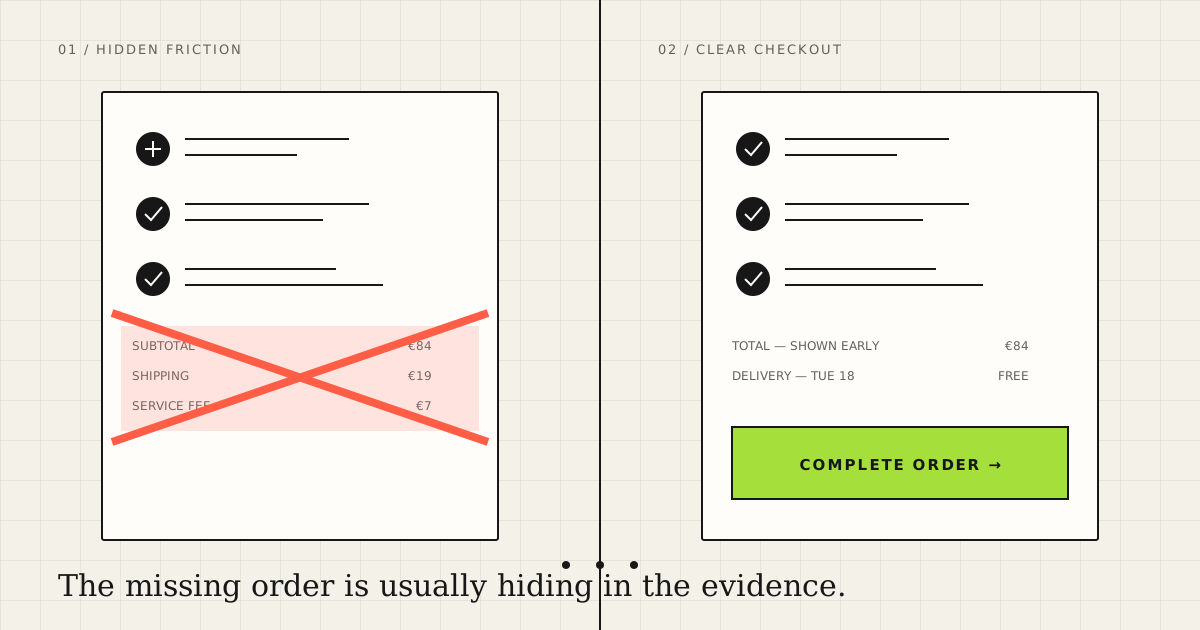
This is a last-minute change to the deal, not merely a UX issue. Show an estimate on the product page, exact options in the cart, and the full total before card entry. If delivery is genuinely expensive, explain or change the economics. Hiding it only delays the refusal.
2. Delivery is slow or vague
“3–5 business days” asks the customer to calculate. “Arrives Tuesday, August 18” removes work. Compare abandonment by region and delivery option before assuming that everybody needs express shipping.
3. The promo-code box sends shoppers away
A large empty field says that a better price exists somewhere. Collapse it behind a text link, auto-apply public promotions, and inspect exits to coupon searches. Do not answer every abandoned cart with a discount; that teaches customers to wait.
4–9. Accounts, fields, addresses, and errors
4. Forced account creation
Make guest checkout the obvious default. Offer an account after purchase, when the data already exists and the benefit—tracking, history, faster reordering—is concrete.
5. More fields than fulfillment requires
Remove company, second address line, birthday, and marketing questions unless this order needs them. Default billing to shipping. A single full-name field often travels better than rigid first-name and last-name assumptions.
6. Wrong mobile keyboards and no autofill
Use appropriate input types, inputmode, stable name and id, and correct autocomplete values. Tiny markup decisions have a very visible effect when somebody is typing with one thumb.
7. Validation rejects real names and addresses
Apostrophes, hyphens, Unicode, long names, and unfamiliar postal formats are not bad data. Validate only what must be true for delivery. Do not force an international address to pretend it is American.
8. Errors arrive after submit—or explain nothing
Place the message beside the field in plain language and preserve everything already entered. A generic “Something went wrong” leaves the customer unsure whether another click will create a duplicate charge.
9. Editing or going back destroys the order
Test the imperfect path: change quantity, variant, address, and delivery option; then use the browser back button. State should survive and totals should update without duplication.
<label for="email">Email</label>
<input id="email" name="email" type="email" autocomplete="email">

<label for="postal">Postal code</label>
<input id="postal" name="postal" inputmode="numeric"
       autocomplete="shipping postal-code">
Semantic HTML, real labels, autofill, and inline validation are a sensible baseline. Never send full addresses, card data, or raw field values into analytics.
10–13. Payment methods, declines, and technical checkout
10. The customer's normal payment method is missing
Do not add every method available. Use actual countries, devices, order values, and support requests to select relevant cards, wallets, or local methods. Their order should reflect customers, not a provider default.
11. A decline or 3DS failure becomes a dead end
Translate gateway reason codes into a useful next step: retry, correct details, use another method, or contact the bank. Preserve the order after a 3DS return. Report technical failures, issuer declines, and fraud blocks separately.
12. The store becomes hard to trust at payment
Trust is not a row of decorative security badges. It is a recognizable seller name, working contact details, clear returns, expected currency, complete order summary, and no surprises. Ask a new visitor who will charge them and what happens if the item is wrong; they should answer in 30 seconds.
13. The page is slow, shifts, or appears frozen
Review Core Web Vitals and real-user data for checkout, but chase specific failures: a layout shift hides the button, a script blocks interaction, or a spinner never finishes. Disable submit after the first click and show unambiguous progress.
14–17. Late changes, localization, distractions, and bugs
14. Stock or price changes at the final step
Reserve inventory for a disclosed period or update availability earlier. If a price changes, say exactly what changed and offer a choice instead of a generic error after twenty fields.
15. Currency, language, or address format changes
Test cross-border checkout by hand. A localized landing page followed by another language and a surprise settlement currency damages trust more than no localization at all.
16. Checkout keeps selling instead of closing
Navigation, pop-ups, carousels, and cross-sells open new decision loops. Keep essential reassurance and the order summary; remove paths that compete with completing the purchase.
17. A rare browser bug or broken integration
If the drop starts on one date, device, or method, inspect releases, third-party scripts, and response codes. A recording shows what happened. Server and gateway logs explain why.
A checkout audit in four hours
Do not finish with “simplify checkout.” Write a finding like this: On iPhone Safari, 18% of sessions receive a repeated postal-code error; reproduced 4/5 times; fix validation; owner: Mia; watch field-error and purchase rates for seven days.
Ten test orders to place today
| Scenario | Deliberate action | Expected result |
|---|---|---|
| iPhone / Safari | Autofill + Apple Pay | No zoom, shift, or repeated input |
| Android / Chrome | Google autofill + back | Data survives; total is correct |
| Desktop / Chrome | Keyboard only | Visible focus; logical order |
| Guest | Decline an account | Purchase remains easy |
| Returning | Edit saved address | New address applies everywhere |
| International | Unicode name and postal code | Real data is accepted |
| Declined card | Trigger a test decline | Useful message and recovery |
| 3DS | Cancel, then retry | Session and order survive |
| Coupon | Invalid and expired code | Reason is clear; checkout works |
| Edit order | Change quantity and delivery | Total updates once |
The minimum tracking that can explain the problem
A basic funnel needs view_cart → begin_checkout → add_shipping_info → add_payment_info → purchase. Add checkout_error with step, field_group, reason_code, payment_method, and device_class. Never include personally identifiable information.
Verify that purchase fires once and only after confirmed payment. A revenue dashboard with duplicate events feels reassuring until finance reconciles it with the bank.
What to fix first
Score each finding with Impact × Confidence ÷ Effort on a 1–5 scale. High impact without evidence is a hypothesis; high confidence without volume is an edge case. Reproducible payment bugs, hidden fees, mobile validation, and forced accounts usually outrank a cosmetic redesign.
| Finding | Evidence | Fix | Metric |
|---|---|---|---|
| Shipping appears at the end | Exit spike + survey | Cart estimator | Cart→checkout |
| Postal error on iOS | Logs + reproduction | Validation fix | Field error rate |
| Local wallet missing | Country split + support | Add one method | Payment completion |
| Different button color | Team opinion only | Keep out of sprint | — |
Record the baseline, segment, date, mechanism, owner, and guardrails such as refunds, fraud, support contacts, and average order value. Conversion purchased with more accidental orders is not a win.
Frequently asked questions
What is the average cart abandonment rate?
Baymard's aggregated figure is about 70%, but it mixes stores and customer intent. Your segmented trend is a better operating benchmark.
Why do customers abandon checkout?
Common causes include a changed total, delivery terms, forced registration, form friction, missing payment methods, low trust, and technical failure. Confirm the cause before changing the interface.
What is a good checkout abandonment rate?
There is no universal good rate. Product, price, channel, market, and the definition of checkout start all matter. Compare the same segment before and after an evidenced fix.
How can a store reduce cart abandonment without discounts?
Show total cost and delivery date earlier, allow guest checkout, reduce fields, enable autofill, improve decline recovery, and offer relevant payment methods.
Should an online store offer guest checkout?
Usually, yes. Offer account creation after purchase unless identity is central to the product or legally required.
Sources and review date
Statistics and UX research were reviewed on August 16, 2026 using Baymard Institute. Form guidance follows web.dev, and performance diagnostics follow Google Search Central. Aggregated benchmarks are orientation, not a forecast for an individual store.
Read next: build a practical ecommerce support workflow in seven days and calculate automation ROI before you build.